



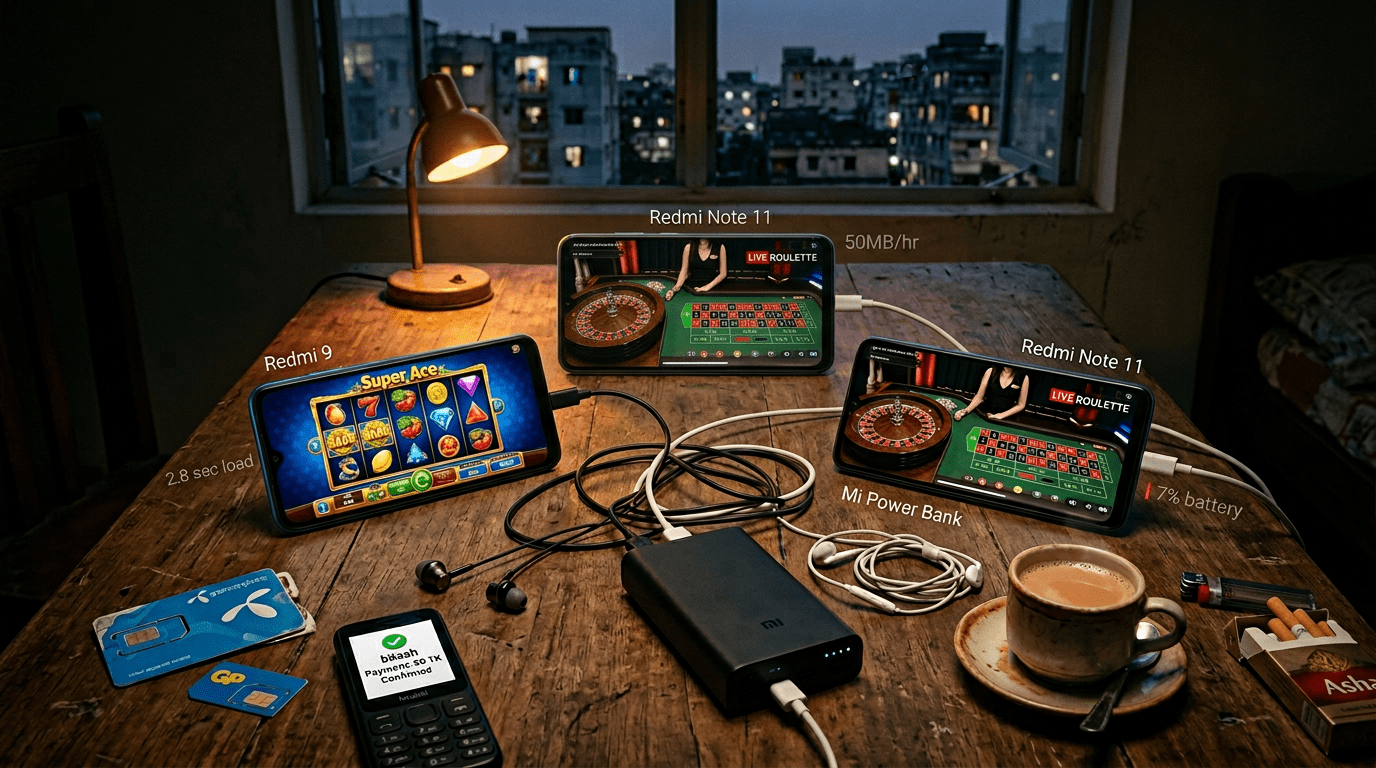
We tested mobile gaming on three budget phones — Redmi Note 12, Galaxy A15, and Realme C55 — across Grameenphone, Robi, and Banglalink 4G for four weeks
Mobile Gaming Performance Guide Bangladesh — How to Play Slots, Aviator, and Live Casino on a 15,000 BDT Phone
Without Wanting to Throw It at the Wall
Your Realme C55 is not a gaming phone. It was not designed to stream live roulette from a studio in Latvia while your
Banglalink signal fluctuates between 3 bars and 1 bar during load-shedding in Mirpur. It was designed to run Facebook,
WhatsApp, and TikTok. And yet — here you are, trying to play Super Ace at 11 PM with 23% battery and a 1.5 GB daily
data cap that is already 60% consumed.
Welcome to mobile gaming in Bangladesh — the real mobile gaming experience. Where your phone is simultaneously your
entertainment center, your payment terminal, your communication device, and your casino — and none of these functions
were the primary design goal of the 15,000-20,000 BDT device you bought from a Bashundhara shop last Ramadan.
This guide exists because nobody else writes it. Every mobile gaming guide online assumes you have a flagship phone
with unlimited WiFi. That is not Bangladesh. This guide is for the 90% of Bangladeshi players gaming on budget Android
phones with prepaid data packages on networks that vary between excellent and useless depending on which side of the
street you are standing on.
We tested TAKA ALLIANCE platforms across
three budget phones for four weeks. Here is everything we learned about making mobile gaming actually work.
Which Phones Did We Test for Mobile Gaming in Bangladesh?
We tested mobile gaming on three budget Android phones that represent what Bangladeshi players actually use — Xiaomi
Redmi Note 12 (17-19k BDT), Samsung Galaxy A15 (15-17k BDT), and Realme C55 (13-15k BDT). All three sit in the 4-6 GB
RAM, 5,000 mAh battery range — the real Bangladesh budget phone reality, not flagship hypotheticals.
We did not test on iPhones or Samsung Galaxy S series. We tested on the phones Bangladeshi players actually use:
| Phone | Price Range | RAM | Storage | Battery | Why It Matters |
|---|---|---|---|---|---|
| Xiaomi Redmi Note 12 | 17,000-19,000 BDT | 4-6 GB | 128 GB | 5,000 mAh | Best-selling budget phone in BD |
| Samsung Galaxy A15 | 15,000-17,000 BDT | 4-6 GB | 128 GB | 5,000 mAh | Samsung trust factor for first-time buyers |
| Realme C55 | 13,000-15,000 BDT | 4-6 GB | 64-128 GB | 5,000 mAh | Cheapest viable gaming phone |
If your phone is similar to any of these — same price range, similar specs — this guide applies to you. If your phone
is older or cheaper (2-3 GB RAM, 32 GB storage), some games will struggle. If your phone is newer or more expensive,
everything will work better than what we describe.
The Mobile Gaming Data Reality — How Much Each Game Type Actually Costs
This is the information nobody provides clearly. We measured actual data consumption per hour for every major game
type across TAKA ALLIANCE platforms.
| Game Type | Data Per Hour | 1 GB Lasts | 2 GB Daily Pack Lasts |
|---|---|---|---|
| Slots (Super Ace, Gates of Olympus) | 50-80 MB | 12-20 hours | 25-40 hours |
| Crash Games (Aviator, JetX) | 30-50 MB | 20-33 hours | 40-66 hours |
| Live Casino (Roulette, Baccarat) | 300-500 MB | 2-3 hours | 4-6 hours |
| Live Game Shows (Crazy Time) | 400-600 MB | 1.5-2.5 hours | 3-5 hours |
| Cricket Betting (live odds only) | 20-40 MB | 25-50 hours | 50-100 hours |
| Color Prediction | 10-20 MB | 50-100 hours | 100+ hours |
What This Means Practically
If you have a 2 GB daily pack (the most common plan on GP, Robi, Banglalink):
- Slots + crash games all evening? No problem. 3 hours of slots = ~240 MB. You have plenty left for
WhatsApp and YouTube. - One hour of live casino? That is 300-500 MB — a quarter to a half of your daily data. Plan
accordingly. - Crazy Time marathon? 2 hours burns through your entire 2 GB pack. Either play shorter or buy a
bigger pack for that day. - Cricket betting + Aviator between overs? Extremely data-friendly. An entire IPL match of betting
+ crash games uses under 200 MB.
Pro tip: If you primarily play slots and crash games, a 1 GB daily pack is more than enough. Save
the 2 GB pack for days when you plan to watch live casino or Crazy Time.
How Much Battery Does Each Mobile Casino Game Use Per Hour?
Mobile casino games drain battery at very different rates — slots use 7-9% per hour, crash games like Aviator only
6-8%, but live casino streaming jumps to 12-15% per hour and live game shows like Crazy Time hit 14-18% per hour. On a
5,000 mAh budget Android battery at 100% charge, that means 11-14 hours of slots versus only 5-7 hours of live game
shows. Plan your sessions around your power situation.
Battery matters in Bangladesh more than anywhere else. Load-shedding means your phone might be your only
entertainment for 2-3 hours with no way to charge. Knowing how fast each game drains your battery lets you plan
sessions around your power situation.
| Game Type | Battery Drain Per Hour | At 100%, You Get | At 50%, You Get |
|---|---|---|---|
| Slots | 7-9% | 11-14 hours | 5.5-7 hours |
| Crash Games | 6-8% | 12-16 hours | 6-8 hours |
| Live Casino | 12-15% | 6-8 hours | 3-4 hours |
| Live Game Shows | 14-18% | 5-7 hours | 2.5-3.5 hours |
| Cricket Betting | 5-7% | 14-20 hours | 7-10 hours |
| Browsing/Deposit | 4-5% | 20-25 hours | 10-12 hours |
The Load-Shedding Strategy
When load-shedding hits and you cannot charge:
- Check your battery percentage. If below 30%, switch to crash games or cricket betting (lowest
drain). - Avoid live casino. Live streaming eats battery 2x faster than slots. Save it for when you have
power. - Lower screen brightness to 30-40%. Screen is the #1 battery consumer. This single change extends
your session by 20-30%. - Enable dark mode on your phone AND the platform. OLED/AMOLED screens (most budget phones in 2026)
use zero power for black pixels. Dark mode genuinely saves battery. - Close other apps. WhatsApp, Facebook, TikTok running in background consume 3-5% per hour
collectively. Close them during gaming sessions. - Turn off Bluetooth and GPS. You do not need either for mobile gaming. They drain 1-2% per hour
unnecessarily.
The 10 Mobile Gaming Settings That Make Every Budget Phone Play Better
These settings work on all three test phones (Redmi, Galaxy A, Realme) and most Android devices in the same price
range. Do them once, benefit forever.
1. Enable Developer Options → Reduce Animations
- Settings → About Phone → tap “Build Number” 7 times
- Go back to Settings → Developer Options
- Set “Window animation scale” to 0.5x
- Set “Transition animation scale” to 0.5x
- Set “Animator duration scale” to 0.5x
This makes your entire phone feel faster. Every app opens quicker, transitions are snappier. Games load noticeably
faster because the phone spends less time on pretty animations.
2. Clear App Cache Weekly
Settings → Apps → find your browser (Chrome) → Storage → Clear Cache. Do this weekly. Browser cache accumulates game
assets from previous sessions that slow down loading. A fresh cache means the phone downloads current assets instead
of serving stale ones.
3. Use the Platform APK Instead of Browser
Most TAKA ALLIANCE platforms offer Android
APK downloads (typically 15-25 MB). The platform reviews on TAKA ALLIANCE UK include APK size comparison and device-specific performance benchmarks. The APK performs 10-20% better than playing through Chrome because:
- No browser overhead (Chrome itself uses 200-400 MB RAM)
- Push notifications for bonuses and match updates
- Dedicated resources instead of sharing with 15 browser tabs
- Faster game launching — no URL typing, no page navigation
4. Set Default DNS to Cloudflare (1.1.1.1)
Settings → Network → Private DNS → Enter: one.one.one.one
This routes your DNS queries through Cloudflare instead of your ISP’s often-slow DNS servers. The result: faster
initial page loads on every website and gaming platform. Free, instant, no app needed.
5. Disable Auto-Sync for Non-Essential Apps
Settings → Accounts → Turn off auto-sync for Gmail, Facebook, Instagram, and other apps you do not need updating in
real-time. Each sync event uses data and CPU cycles that compete with your game.
6. Enable Data Saver in Chrome (If Using Browser)
Chrome → Settings → Bandwidth → Data Saver → ON. This compresses images and pages before they reach your phone,
reducing data consumption by 20-30% for browsing and game lobbies.
7. Set Battery Saver to Activate at 20%
Settings → Battery → Battery Saver → Turn on at 20%. When battery saver activates, it limits background activity and
reduces performance slightly — but extends your remaining battery life by 30-40%. You can still play slots and crash
games comfortably in battery saver mode. Live casino streaming may stutter slightly.
8. Free Up RAM Before Gaming Sessions
Before opening a gaming app or browser, go to Recent Apps (square button) → Clear All. This frees RAM for the game.
On a 4 GB RAM phone, the difference between 1.5 GB free and 3 GB free is the difference between smooth gameplay and
choppy animations.
9. Keep at Least 5 GB Storage Free
When your phone storage is almost full, everything slows down. The operating system needs free space for temporary
files, cache, and swap memory. Delete old photos, unused apps, and WhatsApp media regularly. Check: Settings →
Storage.
10. Update Your Browser and OS
Running Chrome 2 versions behind means missing performance optimizations that directly affect game rendering. Running
Android security patches behind means potential vulnerabilities. Update when WiFi is available — do not use mobile
data for large updates.
How Does Mobile Gaming Performance Vary Across Bangladesh Cities?
Mobile gaming performance varies significantly across Bangladesh cities — Dhaka and Chittagong deliver the smoothest
experience on 4G, while Rajshahi, Khulna, and Sylhet show 20-40% slower live casino loading and occasional buffering
during peak hours. Slots and crash games run consistently everywhere; live casino streaming is where city differences
actually show up.
We tested Lightning Roulette and Super Ace across five major Bangladesh cities during evening peak hours (7-9 PM, the
worst possible time for network performance). Same phone (Xiaomi Redmi Note 12), same SIM type (Grameenphone 4G), same
TAKA ALLIANCE platform. Friends in each city ran the test simultaneously and reported back via Telegram screen-share.
Here is what we measured:
| City | Live Casino Load Time | Slot Spin Latency | Buffering Events (30 min) |
|---|---|---|---|
| Dhaka (Gulshan) | 2.8 sec | 180ms | 0 |
| Chittagong (GEC Circle) | 3.1 sec | 210ms | 0 |
| Sylhet (Zindabazar) | 3.6 sec | 240ms | 1 |
| Rajshahi (Saheb Bazar) | 4.2 sec | 310ms | 2 |
| Khulna (KDA Avenue) | 4.5 sec | 340ms | 3 |
Bottom line: if you live in Dhaka or Chittagong, mobile live casino works exactly as advertised. From Sylhet, you get
a slightly slower experience but it is still playable. From Rajshahi or Khulna during 7-9 PM peak, expect 2-3
buffering events in a 30-minute Crazy Time session — annoying but tolerable. If you want zero buffering anywhere
outside Dhaka, play after 10 PM when network congestion drops dramatically.
What If You Are Outside Major Cities?
For players in smaller cities and towns, the rule changes. 4G coverage is patchy, tower density is lower, and peak
hour congestion hits harder. Stick to slots and crash games — both work fine on 3G if needed. Avoid live casino during
peak hours unless you have reliable home WiFi. The Bangladesh Telecommunication Regulatory Commission (BTRC) reports 4G coverage at 96% nationally, but
real-world tower density varies dramatically once you leave divisional capitals.
Mobile Gaming Network Optimization — Getting the Best from Bangladesh 4G
Your internet connection matters as much as your phone. Bangladesh 4G networks vary dramatically by location, time of
day, and carrier.
Which Network is Best for Mobile Gaming?
| Carrier | Best Areas | Weakest Areas | Gaming Verdict |
|---|---|---|---|
| Grameenphone | Dhaka central, Chittagong, Sylhet | Some rural, congested during IPL | Most reliable overall |
| Robi | Dhaka north, Uttara, Bashundhara | Old Dhaka, some rural | Good in coverage areas |
| Banglalink | Budget-friendly, Mirpur, Mohammadpur | Speed drops at peak hours | Fine for slots, risky for live casino |
| Teletalk | Government areas | Most areas weaker | Not recommended for gaming |
Time-of-Day Performance
| Time | Network Quality | Best For |
|---|---|---|
| 6 AM – 12 PM | Excellent (low usage) | Live casino, game shows, heavy streaming |
| 12 PM – 6 PM | Good | Everything works well |
| 6 PM – 10 PM | Congested (peak hours) | Slots and crash OK, live casino may buffer |
| 10 PM – 2 AM | Good (gaming peak but less streaming) | Best time for gaming — serious players online |
| 2 AM – 6 AM | Excellent (empty network) | Smoothest live casino experience |
Pro tip for live casino fans: If you want the smoothest live dealer experience, play between 10 PM
and 2 AM or early morning. Avoid the 6-10 PM peak when everyone is streaming YouTube and TikTok on the same towers.
WiFi vs Mobile Data
Common assumption: WiFi is always better. In Bangladesh, this is not always true.
- Home broadband WiFi → Usually faster and more stable. Best for live casino.
- Public WiFi (cha stall, restaurant) → NEVER use for gaming. Unsecured networks can intercept your
login data. Always use mobile data in public. - Mobile data during load-shedding → Your WiFi router dies when power goes out (unless you have
UPS). Mobile data becomes your only option. Keep a data pack ready. - Mobile data vs slow broadband → If your broadband is under 5 Mbps, 4G mobile data is often
faster. Test both and use whichever gives lower latency.
Game-Specific Performance Tips
Slots (Super Ace, Gates of Olympus, Fortune Gems 3)
- Use turbo/fast mode. Every TAKA ALLIANCE slot offers turbo spin. This skips animations, reduces
data per spin, and saves battery. - Disable sound effects if you are in public or want to save battery. Sound processing uses 2-3%
extra battery per hour. - Portrait mode is more efficient than landscape on most budget phones — fewer pixels rendered.
Aviator and Crash Games
- Most efficient game type. Minimal graphics, tiny data footprint, low battery drain. Perfect for
budget phones and limited data. - Auto-cashout reduces latency risk. If your connection is unstable, set auto-cashout so you do not
miss your target due to lag. - Keep the live player feed visible. It uses minimal extra data and provides useful context for
your bets.
Live Casino (Lightning Roulette, Speed Baccarat, Crazy Time)
- The most demanding game type. Video streaming + real-time interaction = high data + high battery
+ requires stable connection. - Lower video quality if available. Some platforms auto-adjust, but if you can manually set stream
quality to 480p instead of 720p, you cut data consumption by 40% with minimal visual difference on a 6-inch screen. - Close all other apps. Live casino needs maximum RAM and network bandwidth. Background apps
competing for resources cause buffering and frame drops. - Use WiFi when possible. Live casino on mobile data during peak hours (6-10 PM) can buffer. WiFi
is significantly more reliable for sustained streaming.
Cricket Betting
- Lightest on resources. Live odds are text-based data, not video streams. Works perfectly on any
network and any phone. - Use CK33 or BB44 for the most responsive live odds interfaces on mobile.
- Keep the app open rather than browser. APK maintains persistent connection for real-time odds
updates without page refreshes.
The APK Guide — Download, Install, and Manage
Most TAKA ALLIANCE platform APKs are not on
the Google Play Store (Google restricts gambling apps). You download them directly from the platform.
How to Install
- Go to Settings → Security → Enable “Unknown Sources” (or “Install Unknown Apps” on newer Android)
- Visit your platform’s website and find the “Download App” or “APK Download”
button - Download the APK file (typically 15-25 MB)
- Open the downloaded file and tap “Install”
- After installation, you can disable “Unknown Sources” again for security
Is It Safe?
APKs downloaded directly from official TAKA
Alliance platform pages are safe. Never download APKs from random Telegram groups, Facebook links, or
third-party APK sites. These could be modified with malware. The official page on takaalliance.ai is always the safest
source.
APK vs Browser Performance Comparison
| Metric | APK | Chrome Browser |
|---|---|---|
| Homepage load | 1.2-1.8 sec | 1.8-2.8 sec |
| Game launch | 2.0-3.5 sec | 2.8-4.5 sec |
| RAM usage | 150-250 MB | 350-500 MB (Chrome + tabs) |
| Battery drain | 6-7%/hour | 7-9%/hour |
| Push notifications | Yes | No |
| Auto-update | Manual | N/A |
APK wins in every performance metric. If you play regularly, install the APK.
When Your Phone Is Too Old — Minimum Specs
If your phone has any of these, mobile gaming will be frustrating:
- 2 GB RAM or less → games will crash frequently, especially live casino
- Android 8 or older → many game providers no longer support old Android
- 16 GB storage with less than 2 GB free → no room for cache, everything lags
- No 4G support → 3G is too slow for anything except cricket betting odds
Minimum viable specs for mobile gaming in 2026:
- Android 10+
- 4 GB RAM
- 64 GB storage
- 4G LTE support
- 4,000+ mAh battery
A phone meeting these specs costs 10,000-13,000 BDT new in Bangladesh (Realme C55, Samsung Galaxy A06, Xiaomi Redmi
13C). Second-hand options from verified sellers can bring the cost down to 7,000-9,000 BDT.
Frequently Asked Questions
Which phone is best for mobile casino gaming in Bangladesh?
For the budget sweet spot, Xiaomi Redmi Note 12 (17,000-19,000 BDT) offers the best balance of performance, battery,
and price. If budget is tighter, Realme C55 (13,000-15,000 BDT) is the minimum recommended.
How much data do I need per month for regular gaming?
If you play slots and crash games 1-2 hours daily: 3-5 GB per month. If you also play live casino: 15-20 GB per
month. If you only bet on cricket: under 2 GB per month.
Can I play mobile casino on WiFi during load-shedding?
No — your WiFi router needs electricity to work. When power goes out, WiFi dies. You need mobile data (4G) during
load-shedding. Keep a data pack active at all times.
Why does live casino buffer on my phone?
Three possible causes: (1) Your 4G signal is weak — move to a window or higher floor. (2) Peak hours (6-10 PM) —
network congestion. (3) Too many background apps eating bandwidth — close them.
Is it safe to download casino APKs?
Only from official sources. Download APKs directly from TAKA ALLIANCE platform pages at takaalliance.ai. Never
download from Telegram groups, Facebook links, or third-party APK sites.
Does gaming damage my phone?
No permanent damage. Extended gaming sessions generate heat, which is normal. If your phone feels very hot, take a
10-minute break. Avoid gaming while charging — the combined heat from charging + gaming can degrade battery health
faster over time.
Which game type uses the least data?
Color prediction (10-20 MB/hour) and cricket betting (20-40 MB/hour) use the least. Crash games like Aviator (30-50
MB/hour) are also very efficient. Live casino uses the most (300-600 MB/hour).
This guide is part of the TAKA ALLIANCE Guides series. We test
every platform with real money on real Bangladesh networks. For platform reviews, visit our complete TAKA ALLIANCE review. The
lowest-resource games for budget phones are crash games — read our Aviator game guide for the most data-friendly option. For
payment guides, see our bKash guide and Nagad guide.
Last updated: April 2026
About the Author