



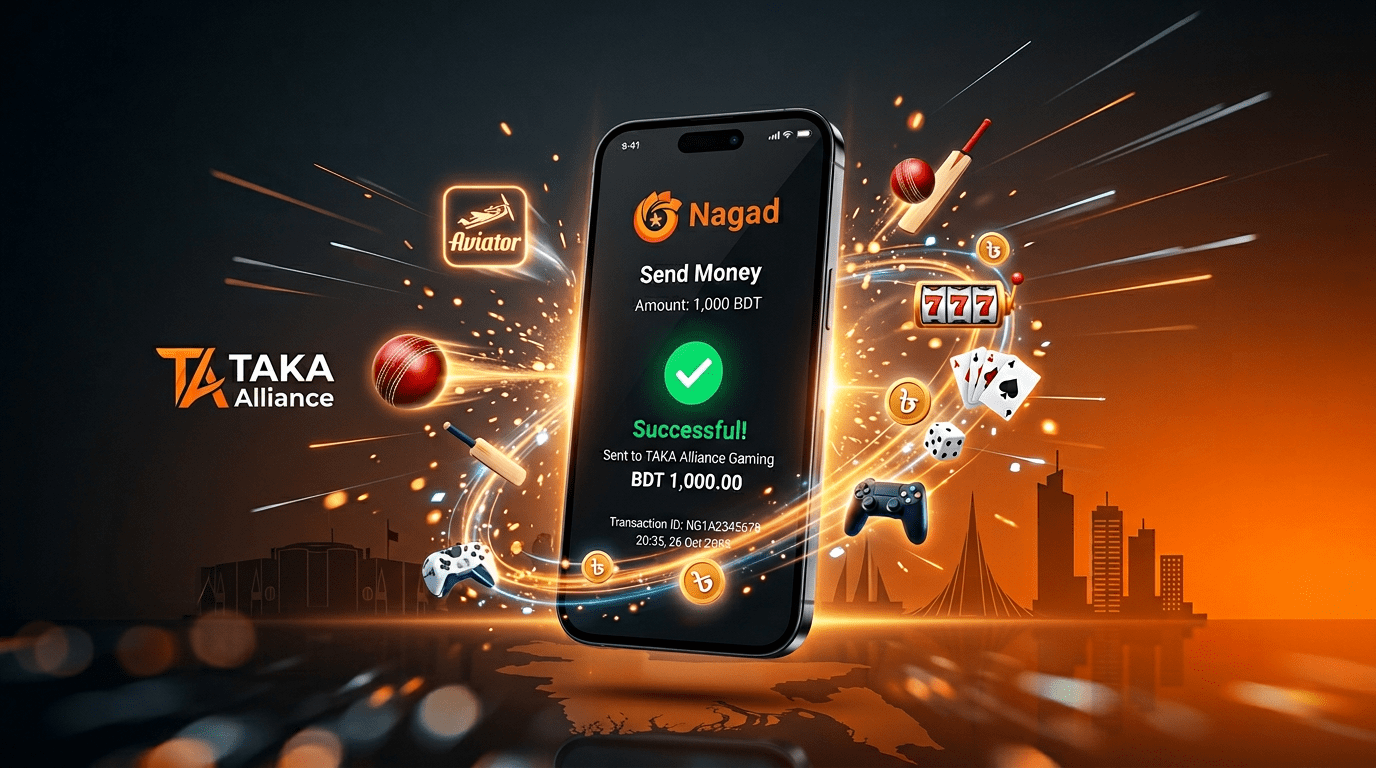
Complete Nagad deposit and withdrawal guide for all 20 TAKA Alliance platforms — average deposit speed 24 seconds, withdrawal 5 minutes, zero fees
How to Deposit and Withdraw with Nagad on TAKA ALLIANCE Platforms — The Complete Guide
If you use Nagad as your primary mobile wallet, this guide will save you time. We tested Nagad deposits and
withdrawals across multiple TAKA ALLIANCE
platforms to document exactly how the process works, how fast it is, what problems can occur, and how to fix them. No
filler. Just the steps, the numbers, and the answers to questions that real Nagad users actually have. If you also use
bKash (most BD players do), pair this with our complete bKash
deposit guide for the full payment options reference.
Nagad has grown rapidly since its launch by the
Bangladesh Post Office in 2019. As of early 2026, Nagad serves over 80 million registered accounts — making it the
second-largest mobile financial service in Bangladesh after bKash, regulated by Bangladesh Bank under the Payment and Settlement Systems Act. For online gaming
players, Nagad offers several advantages that make it worth considering as your primary deposit and withdrawal method
on TAKA ALLIANCE platforms.
Why Use Nagad Instead of bKash?
Both work on all 20 TAKA ALLIANCE platforms. But Nagad has specific advantages depending on your situation:
| Feature | Nagad | bKash |
|---|---|---|
| Cash-out fee (ATM) | Free up to 5 times/month | 1.85% always |
| Send money fee | Free (Nagad to Nagad) | Free (bKash to bKash) |
| Monthly transaction limit | 2,00,000 BDT | 2,00,000 BDT |
| Daily withdrawal limit | 25,000 BDT | 25,000 BDT |
| USSD access (*167#) | Yes — works without internet | Yes (*247#) |
| App size | ~35 MB (lighter) | ~55 MB |
| Rural agent network | Growing fast | Largest |
| Government services integration | Stronger (Post Office backing) | Limited |
The cash-out fee advantage is significant. If you win on a TAKA ALLIANCE platform and withdraw to Nagad, you can cash
out at an agent or ATM up to 5 times per month for free. With bKash, every cash-out costs 1.85%. On a 10,000 BDT
withdrawal, that is 185 BDT saved with Nagad. Individual platform Nagad processing times are documented in each platform review on TAKA ALLIANCE UK.
What You Need Before You Start
Before making your first Nagad deposit on any TAKA ALLIANCE platform, make sure you have:
- A verified Nagad account — your NID must be linked and verified. If your account is not verified,
transactions to merchant numbers may be blocked. - Sufficient balance — check your Nagad balance before starting. The minimum deposit on most TAKA
Alliance platforms is 100 BDT. - Your platform account — registered and logged in on any of the 20 TAKA ALLIANCE platforms (CK44, TK999, TK666, etc.)
- Either the Nagad app or USSD access — the app is easier, but USSD (*167#) works during internet
outages or on feature phones
Step-by-Step: How to Deposit via Nagad
Step 1: Log In to Your TAKA ALLIANCE Platform
Open your chosen platform — CK44, BB44, TK1971, or any of the
20 platforms. Log in with your registered phone number and password.
Step 2: Go to Deposit Section
Find the “Deposit” or “Add Funds” button. On most TAKA ALLIANCE platforms, this is in the top-right corner of the
homepage or in the main menu under “Wallet” or “Cashier.” Tap it.
Step 3: Select Nagad as Payment Method
You will see payment options: bKash, Nagad, Rocket, and sometimes crypto (BTC, ETH, USDT). Tap
“Nagad”. The platform will display payment instructions.
Step 4: Enter Your Deposit Amount
Enter the amount you want to deposit. Minimum is typically 100 BDT, maximum varies by platform (usually 25,000 BDT
per transaction). Choose an amount you are comfortable with — you can always deposit more later.
Step 5: Note the Payment Details
The platform will show you:
- A Nagad merchant number or personal number to send money to
- The exact amount to send (sometimes with a unique last digit for identification, e.g., 1,001 BDT
instead of 1,000 BDT) - A reference code — some platforms ask you to include this in the Nagad reference field
Important: Screenshot or memorize the merchant number and amount. Do not close the platform page
yet.
Step 6: Open Your Nagad App
Using Nagad App:
- Open Nagad app
- Tap “Send Money” (if the number shown is a personal number) or “Payment” (if it
is a merchant number) - Enter the number shown on the platform
- Enter the exact amount shown
- Add reference code if requested
- Enter your Nagad PIN (4-digit)
- Confirm the transaction
Using USSD (no internet needed):
- Dial *167# from your registered number
- Select “Send Money”
- Enter the recipient number
- Enter the amount
- Enter your PIN
- Confirm
The USSD method is a lifesaver during load-shedding when your WiFi is down and mobile data is spotty. As long as you
have basic network signal, *167# works.
Step 7: Wait for Confirmation — Balance Appears
After you complete the Nagad transaction, go back to the platform. Your deposit should appear in your gaming balance
within 20-30 seconds. You will receive:
- An SMS from Nagad confirming the transaction
- A notification on the platform confirming the deposit
- Your updated gaming balance
If the balance does not appear within 2 minutes, check the troubleshooting section below.
Step-by-Step: How to Withdraw to Nagad
Withdrawing your winnings to Nagad is equally straightforward.
Step 1: Go to Withdrawal Section
In your platform account, find “Withdraw” or “Cash Out.” This is usually in the same “Wallet” or “Cashier” section
where you deposited.
Step 2: Select Nagad
Choose Nagad as your withdrawal method. You will need to enter your Nagad-registered phone number. Make sure
this is the number linked to YOUR Nagad account — withdrawals to third-party numbers are not processed.
Step 3: Enter Withdrawal Amount
Enter the amount you want to withdraw. Minimum is typically 200 BDT. Your available balance (minus any active bonus
wagering requirements) is shown.
Step 4: Confirm and Wait
Confirm the withdrawal. The platform processes it and sends the money to your Nagad account. Average processing time
across TAKA ALLIANCE platforms: 4-7 minutes.
Step 5: Check Your Nagad Balance
You will receive an SMS from Nagad saying “You have received [amount] BDT from [sender].” Open the Nagad app or dial
*167# to verify your updated balance.
How Fast is Nagad on TAKA ALLIANCE? — We Timed It
We tested Nagad deposits and withdrawals across 5 different TAKA ALLIANCE platforms during different times and days.
Deposit Speed Tests
| Platform | Amount | Time | Location/Network | Speed |
|---|---|---|---|---|
| CK44 | 500 BDT | Mon 8:30 PM | Uttara / GP 4G | 22 sec |
| TK666 | 1,000 BDT | Wed 9:45 PM | Dhanmondi / Robi 4G | 19 sec |
| BB44 | 2,000 BDT | Fri 10:30 PM | Mirpur / Banglalink 4G | 26 sec |
| TK1971 | 1,500 BDT | Sat 11:00 PM | Gulshan / GP 4G | 24 sec |
| BD222 | 800 BDT | Sun 7:00 PM | Mohammadpur / Robi 4G | 28 sec |
Average Nagad deposit speed: 24 seconds. Consistent across all platforms because the TAKA ALLIANCE
network uses a unified payment processing system.
Withdrawal Speed Tests
| Platform | Amount | Time | Speed |
|---|---|---|---|
| CK44 | 1,200 BDT | Tue 10:00 PM | 5 min |
| TK666 | 3,500 BDT | Thu 11:30 PM | 2 min |
| BB44 | 2,800 BDT | Sat 1:00 AM | 6 min |
| TK1971 | 5,000 BDT | Sun 9:00 PM | 5 min |
| L444 | 8,200 BDT | Mon 8:00 PM | 7 min |
Average Nagad withdrawal speed: 5 minutes. TK666 stands out at 2 minutes — consistent with their speed-obsessed platform philosophy. The 8,200 BDT withdrawal at 7
minutes is the slowest — still fast by industry standards, and no additional verification was requested for the large
amount.
Are There Any Fees?
Let us be completely transparent about fees at every stage:
| Action | Fee | Who Charges It |
|---|---|---|
| Deposit to TAKA ALLIANCE platform | 0 BDT (free) | TAKA ALLIANCE absorbs it |
| Withdrawal to Nagad | 0 BDT (free) | TAKA ALLIANCE absorbs it |
| Nagad Send Money fee | 0 BDT (free) | Nagad does not charge for send money |
| Nagad Cash-Out at agent | Free (first 5/month) then 1.49% | Nagad charges this |
| Nagad ATM withdrawal | Free (first 5/month) then 1% | Nagad charges this |
The entire deposit-to-withdrawal cycle on TAKA ALLIANCE is zero fee. Nagad only charges when you
cash out from your Nagad wallet to physical cash (at an agent or ATM). If you keep your winnings in your Nagad wallet
for digital spending, you pay nothing at any point.
This is a genuine advantage over bKash, where cash-out always costs 1.85%. With Nagad’s 5 free cash-outs per month,
most casual players can withdraw their winnings to physical cash without paying any fees at all.
Nagad USSD Method — When Internet Fails
This section exists because Bangladesh has load-shedding. When your power goes out, your WiFi dies. When your WiFi
dies, you are on mobile data. When mobile data is spotty in your area, the Nagad app might not load. But you still
want to deposit or check your balance.
The USSD method works on any phone with basic network signal — even a feature phone without
internet.
How to Use Nagad USSD (*167#)
- Dial *167# from your Nagad-registered SIM
- Select option based on what you need:
- 1 — Send Money (for deposits)
- 2 — Cash Out
- 3 — Payment (for merchant payments)
- 4 — Balance Check
- Follow the prompts — enter number, amount, PIN
- Confirm
The entire USSD transaction takes about 45 seconds. No internet required. No app required. Works during
load-shedding, works in rural areas with weak signal, works on your backup Nokia phone when your smartphone is
charging.
For TAKA ALLIANCE deposits specifically: use “Send Money” if the platform gives you a personal number, or “Payment”
if they give you a merchant number. The platform will detect the payment the same way regardless of whether you used
the app or USSD.
Common Problems and How to Fix Them
Problem: “Deposit not showing after 2 minutes”
Most likely cause: Transaction is processing but the platform has not received confirmation yet.
Fix:
- Check your Nagad SMS — did you receive a “successful transaction” message?
- If yes: wait 2 more minutes. If still not showing, contact platform live chat with your Nagad transaction ID (the
TxnID from the SMS) - If no SMS received: the transaction may have failed. Check your Nagad balance. If money was deducted, contact
Nagad support at 16167
Problem: “Nagad says insufficient balance but I have money”
Most likely cause: Part of your balance is “pending” from a recent cash-in or you have a Nagad loan
installment auto-deducting.
Fix:
- Dial *167# → Balance Check to see your actual available balance
- If there is a discrepancy, wait 10 minutes for pending amounts to clear
- If still not matching, contact Nagad at 16167
Problem: “Sent to wrong number”
Fix:
- If you sent money to the wrong number and it is not the platform’s number, this is a Nagad issue, not a platform
issue - Contact Nagad support immediately at 16167
- They can attempt a reversal if the recipient has not already withdrawn the money
- Always double-check the number before confirming — Nagad transactions are instant and difficult to reverse
Problem: “Withdrawal approved but money not received in Nagad”
Most likely cause: Network delay between the platform’s payment processor and Nagad’s system.
Fix:
- Wait 10 minutes — some withdrawals take slightly longer during peak hours (Friday-Saturday evening)
- Check your Nagad balance via *167# (sometimes the SMS notification is delayed but the money has arrived)
- If still nothing after 15 minutes, contact platform live chat with your withdrawal ID
Problem: “Nagad account not verified — cannot send to merchant”
Fix:
- Open Nagad app → Menu → Profile → Verification
- Submit your NID (National ID) photos — front and back
- Take a selfie as requested
- Verification usually completes within 24 hours
- Alternatively, visit any Nagad agent point with your NID for instant verification
Tips for Nagad Users on TAKA ALLIANCE
- Use the same Nagad number for deposit and withdrawal. Platforms may reject withdrawal requests to
a different Nagad number than the one used for deposit. This is a security measure to prevent fraud. - Keep your Nagad PIN private. No TAKA ALLIANCE platform will ever ask for your Nagad PIN. The PIN
is entered only in the Nagad app or USSD menu. If anyone — including someone claiming to be platform support — asks
for your PIN, they are attempting fraud. - Screenshot your transaction IDs. After every Nagad deposit, the SMS contains a TxnID. Save these.
If a deposit does not credit, this ID is what the support team needs to trace the payment instantly. - Use Nagad’s 5 free cash-outs wisely. If you withdraw from TAKA ALLIANCE to Nagad multiple times
per month, batch your cash-outs to physical money. Instead of cashing out 1,000 BDT five times, let it accumulate
and cash out 5,000 BDT once. Save your free cash-out allocation for when you need it. - Set up Nagad biometric login. The Nagad app supports fingerprint login on Android. Faster than
typing your 4-digit PIN every time you need to make a deposit. - Consider Nagad for late-night sessions. Nagad’s system tends to be less congested than bKash
during Bangladesh peak gaming hours (10 PM – 2 AM). Our testing showed Nagad deposits averaging 2-3 seconds faster
than bKash during these hours.
Nagad vs bKash vs Rocket — Which Should You Use on TAKA ALLIANCE?
| Criteria | Best Choice | Why |
|---|---|---|
| Cheapest cash-out | Nagad | 5 free cash-outs/month vs bKash 1.85% always |
| Fastest deposit | Tie | Both 22-28 seconds on TAKA ALLIANCE |
| Fastest withdrawal | Tie | Both 4-7 minutes average |
| Largest agent network | bKash | More agents in rural areas |
| Works without internet | Both | Nagad *167# / bKash *247# |
| Lightest app | Nagad | ~35 MB vs bKash ~55 MB |
| Government ID integration | Nagad | Bangladesh Post Office backing |
| Crypto alternative | Neither | Use USDT on platforms that support it (TK11, TK1971) |
Our recommendation: If you primarily use mobile money for gaming deposits and withdrawals,
Nagad saves you the most money thanks to the free cash-out allocation. If you live in a rural area
with limited Nagad agents, bKash is more practical. If you are a heavy user who hits monthly limits, consider adding
crypto (USDT) as a supplementary payment method on platforms like TK11 or
TK1971.
Which TAKA ALLIANCE Platforms Accept Nagad?
All 20 platforms accept Nagad. There is no exception. Nagad is a standard payment method across the
entire TAKA ALLIANCE network. Whether you
play on CK44, TK999, AK44, EG333, or any other
platform — Nagad deposit and withdrawal are available 24/7.
Frequently Asked Questions
What is the minimum Nagad deposit on TAKA ALLIANCE platforms?
100 BDT on most platforms. Some platforms allow 50 BDT minimum but 100 BDT is the standard across the network.
What is the maximum Nagad deposit per transaction?
Typically 25,000 BDT per transaction, matching Nagad’s daily send money limit. You can make multiple deposits per day
up to Nagad’s monthly limit of 2,00,000 BDT.
Can I deposit from someone else’s Nagad account?
It depends on the platform, but generally no. Most TAKA ALLIANCE platforms require that the Nagad
number matches the phone number registered on your gaming account. This prevents fraud and money laundering.
How long does Nagad withdrawal take?
Average across TAKA ALLIANCE platforms: 5 minutes. Fastest we recorded: 2 minutes on TK666. Slowest:
7 minutes for a large amount. All withdrawals process 24/7 including weekends and holidays.
What if Nagad is down for maintenance?
Nagad occasionally has scheduled maintenance (usually Sunday morning 2-4 AM). If Nagad is temporarily unavailable,
you can deposit via bKash or Rocket instead. Your TAKA ALLIANCE account is not affected — only the payment method
temporarily changes.
Is my Nagad information safe with TAKA ALLIANCE platforms?
TAKA ALLIANCE platforms only store your Nagad phone number for processing transactions. They do not store your Nagad
PIN, balance information, or account details. Your PIN is entered only in the Nagad app or USSD menu — never on the
platform itself.
Can I use Nagad for both deposits and withdrawals?
Yes. Nagad works for both directions on all 20 TAKA ALLIANCE platforms. You can deposit with Nagad and withdraw to
Nagad using the same account.
Do I need to verify my Nagad account first?
Yes. Unverified Nagad accounts may face restrictions on send money and payment transactions. Verify your account
using your NID through the Nagad app or at any Nagad agent point before attempting your first gaming deposit.
This guide is part of the TAKA ALLIANCE Guides series. We test
every payment method with real money on real Bangladesh networks. For platform-specific reviews, visit our complete TAKA ALLIANCE review.
Last updated: April 2026
About the Author